

Log bleeding days
Tap to note when your period starts, changes, or ends.

A private period and pill reminder. See where you are today, when your next period might start, and how regular your cycles have been. Log bleeding, check what’s coming up, and get simple answers about your cycle. All on your phone, with no account.
The basics for knowing your cycle, plus a little extra help along the way.
Tap to note when your period starts, changes, or ends.
Get a heads-up on when your next period is likely to show up.
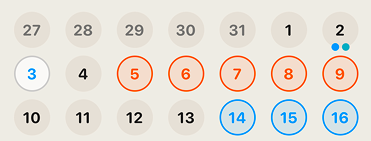
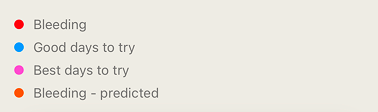
See your logged days and predictions across the month in one view.
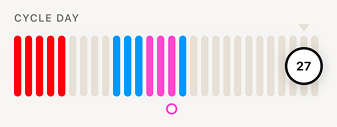
Follow along day by day so you always know where you are.
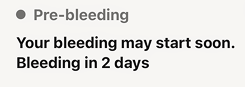
Simple text for your phase, next period, and fertile window.
Friendly tips when they help, plus reminders you can set yourself.
Lua looks at your recent cycles (usually about the last six) to guess when your next period and fertile window might be. On the home screen, you get easy answers in plain words: your cycle phase, your next period date, and your fertile window.
You should not have to decode a chart just to know what’s going on. Text comes first. Charts are there if you like them. Predictions are estimates, not guarantees.
If you are comparing apps, read why no account is the first privacy test and how Lua stacks up in a named comparison of private period trackers.
The first time you open Lua, it can pull in your cycle history from Apple Health so you are not starting from zero. When you log bleeding in Lua, that can also save back to Apple Health.
Later on, things like body temperature, resting heart rate, sleep, and workouts can help make predictions a little sharper. Right now the main focus is reading and writing period flow. More Apple Health support can grow from there.
Lua figures out the numbers first. Then, if Apple Intelligence is on your phone, it can turn those numbers into short, friendly notes. It does not invent stories about your body.
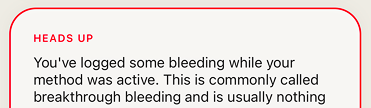
Everyone still gets clear, ready-made messages for things like a longer gap between periods or unexpected bleeding. Apple Intelligence is not available on every iPhone, and it is not on Android. You still get helpful answers either way.
Real reviews from women using Lua.
Super intuitive and easy to use. I love how it easily shows me the history of my period symptoms and logs to easily spot patterns in my moods/energy. Highly recommend!
Mich13vdl
I have PCOS and this is helping me predict my cycle and ovulation window with a high level of accuracy. Really recommend it!
Swadref
Love that nobody’s taking my data!
kituuuuungggf
Lua is a practical and easy-to-use app for everyday life. The information is clear and easy to find, making it simple to see what matters most.
Tay Cándido
Best looking app I’ve found 🙏❤️❤️
Joanne24678
Private, flexible and designed to adapt with you.
The things people ask us most.
Lua looks at your recent cycle history and estimates when your next period is likely to start, plus where you are in your cycle today. Predictions get steadier as you log more cycles. They are estimates based on your data, not a promise that your period will arrive on an exact day.
Yes, if you want to. You can connect Apple Health to import up to the last 12 months of period entries so you are not starting from zero. It stays off until you turn it on, and it only fills in days you have not already logged in Lua.
Only menstrual flow. Lua can read period entries from Health and save the periods you log back to Health. Your symptoms, notes, sex logs, contraception, and pregnancy data are never written to Apple Health.
No. Fertile days and ovulation timing are estimates from your cycle history, shown as a window rather than a single guaranteed date. Timing can shift with stress, illness, travel, or for no clear reason at all. Lua is not a contraceptive and does not diagnose fertility issues.